
 Left Navigation Menu












My Dashboard
Overview
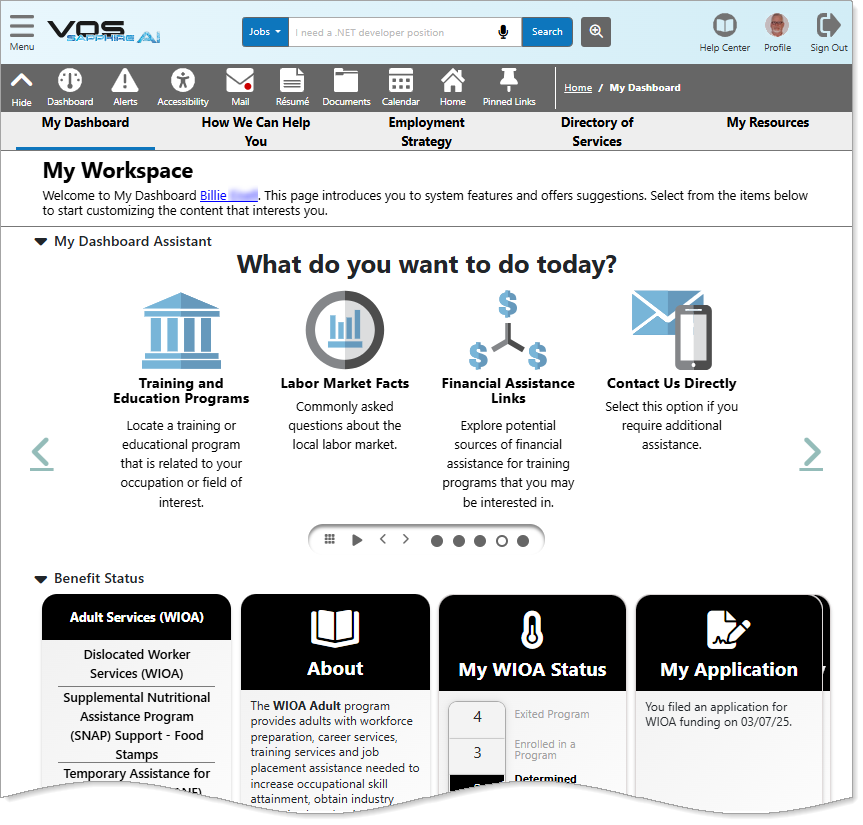
My Dashboard gives you a snapshot and quick access to many areas in the system with tools, links, and configurable widgets that you can organize by collapsible sections. The My Dashboard page is accessible from different locations in the system.
My Dashboard
Where to Find This Feature
-
Top menu bar > Dashboard icon
-
Left navigation menu > My Individual Workspace > My Dashboard
-
Return to Dashboard buttons located at the bottom of some pages
About My Dashboard
Your site may display different options from those shown here.
On the My Dashboard page, there are several sections that you can collapse or expand. Each section is introduced below and links to detailed information.Access Key Features from the Dashboard Assistant – Displays as a rotating "What do you want to do today?" carousel of quick links to suggested services or options in the system.
Monitor Your Unemployment Claim – Displays unemployment claim information, including current claim status, file certification, work search information, and more.
View Your Benefit Status – Provides information and links to federal programs such as Workforce Innovation and Opportunity Act (WIOA), Temporary Assistance for Needy Families (TANF), Trade Adjustment Assistance, (TAA), and more.
Read Site News and Announcements – Presents informational items of interest to you that may include job fairs or market information. Most items include links to additional details.
Discover Key Activities with Services Preview – Displays as a rotating carousel of quick links to resources and information to help you plan and execute a strategy designed to meet your career goals, including information on jobs, employers, education and training opportunities, financial planning, and more.
Explore Your Personalized Job Matches – Displays as a rotating carousel of jobs based on a selected category, such as your desired occupation or recent searches.
Advance Your Career with Paths – Displays as a rotating carousel of quick links to career enhancement options, such as improving your profile, Alison training courses, assessment tools, and more.
Access Key Tools through Widgets – Displays a wide range of information widgets, each with links to key areas of the system. You can configure the widgets to display in your preferred arrangement so you can view and focus on features and information you use the most.
Monitor Your Progress with Your Statistics – Displays a variety of metrics on your system activities, such as job searches, résumé updates, messaging, and more.
Access Key Features from the Dashboard Assistant
Access Key Tools through Widgets
Advance Your Career with Paths
Configure Your Dashboard Sections and Widgets
Discover Key Activities with Services Preview
Explore Your Personalized Job Matches
Monitor Your Progress with Your Statistics
Monitor Your Unemployment Claim