
 Left Navigation Menu












Monitor Your Unemployment Claim
Overview
For sites with the integrated GUS Unemployment Insurance Benefits module, the Unemployment Status section allows you to track your current unemployment claim information in one convenient location, helping you stay current with the status and filing requirements.
Your site may not include this optional feature.
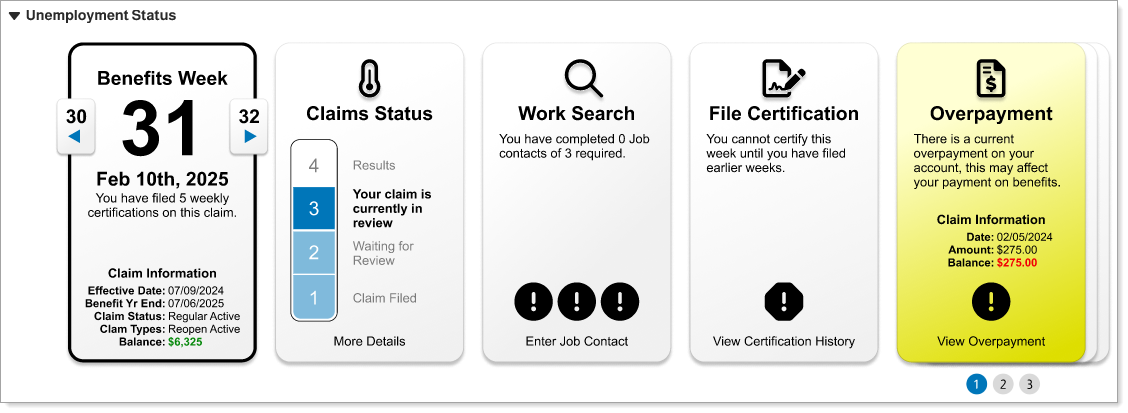
Unemployment Status Section in Dashboard
Where to Find This Feature
-
My Dashboard > Unemployment Status section
About Unemployment Status
In the Unemployment Status section, you can:
-
Select a benefits week – Use the arrows on the Benefits Week card to display claim information and your status for the selected week.
-
View additional information – Select links at the bottom of the cards to display additional information for that area.
-
View additional cards – Select one of the numbers in the lower right corner to view additional cards, such as Employment Strategy and Certificates of Attendance (if you are attending an approved training course).