
 Left Navigation Menu












View Your Benefit Status
Overview
If you are enrolled in any federal benefit programs, such as WIOA, SNAP, or Trade, the Benefit Status section of the dashboard allows you to easily track your current program statuses in one convenient location, helping you stay informed and in control of your benefits. The section consists of multiple cards with programs on the left, followed by a description of the selected program and your status and activities.
For information on all benefit programs and card descriptions, see Track Your Benefits Program Status.
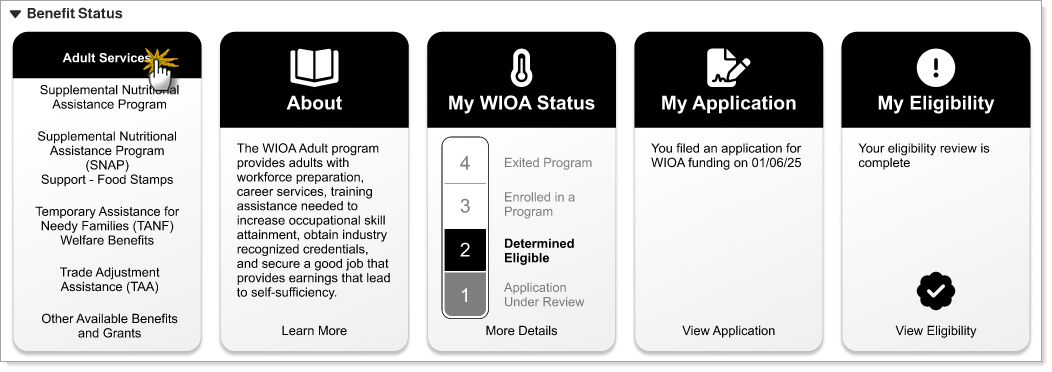
Benefit Status Section in Dashboard
Where to Find This Feature
-
My Dashboard > Benefit Status section
About Benefit Status
In the Benefit Status section, you can:
-
Select a program – Select the program title in the left card to display information about the program and any applicable status on the cards to the right.
-
View additional information – Select the Learn More link in the About card to display a page with more information. Links at the bottom of the other cards provide additional information for those areas. See Track Your Benefits Program Status for details.
-
Apply to a program – Select the Apply link in the My [program] Status card to open the Common Application page where you can review and select benefit programs that you may be eligible for and complete a pre-application to begin the application process. See Complete a Common Application for Eligibility Prospects for details.
If your site does not offer the Common Application tool, a page with information for contacting staff at your local one-stop office displays.
Once you have applied for a program and begin making progress, your status is reflected on the Benefit Status cards accordingly.
-
Collapse the section – Select the arrow next to the section title to collapse or expand the Benefit Status section as needed.