
 Left Navigation Menu












Work Values Ranking
Overview
The Work Values Analyzer helps you identify what matters most to you in a job by ranking 20 specific work aspect cards within six core work values according to your preferences: Achievement, Independence, Recognition, Relationships, Support, and Working Conditions. After you complete the Analyzer, you receive scores for each value, and a list of occupations aligned to your results.
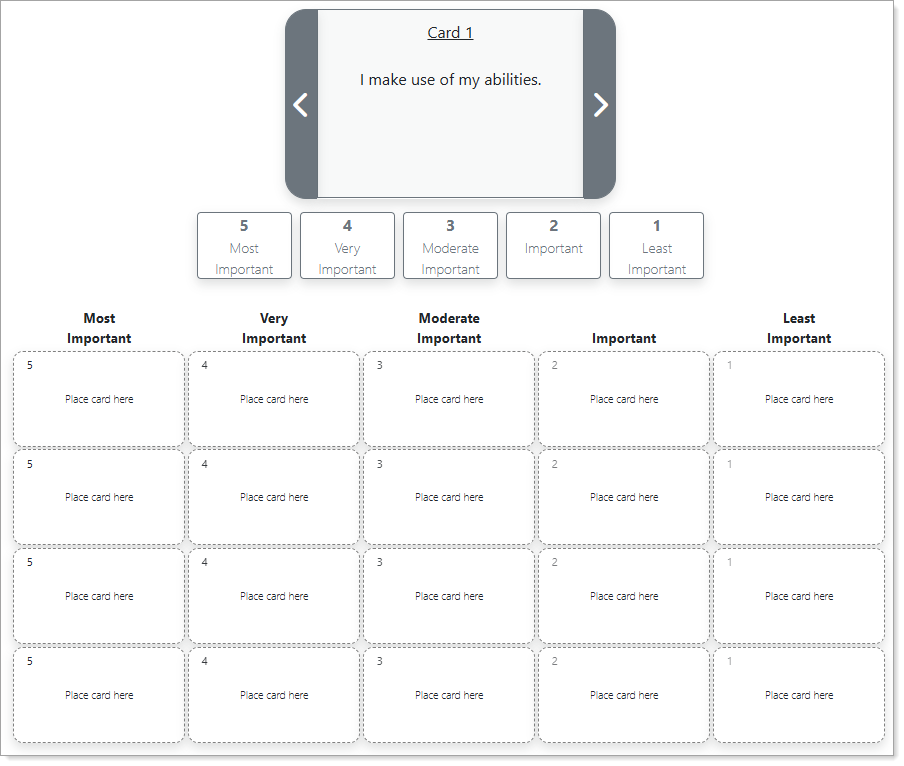
Work Values Analyzer
Where to Find This Feature
-
Left navigation menu > Services for Individuals > Career Services > Career Explorer > Match Your Work Values icon
-
My Dashboard > Widgets > My Assessments widget > Work Values link > Create/Review Work Values link
-
Header bar > Profile icon > My Individual Profiles folder > Self Assessment Profile folder > Work Values tab > Create/Review Work Values link
-
Directory of Services tab > Services for Individuals > Career Services icon > Career Explorer icon > Match Your Work Values icon
Steps to Complete the Work Values Analyzer
-
This is not a test and you can take your time. Review all the cards first, using the arrow buttons to move forward or backward. When you have reviewed the final card, the Begin the Values Analyzer button displays.
-
Select the Begin the Values Analyzer button.
-
Sort each card according to your preferences using the following rankings: Most Important, Very Important, Moderate Important, Important, or Least Important.
-
The order of cards within each column does not matter.
-
Each column contains up to four card selections, so choose carefully.
-
To restart the process and return to the initial Work Values Analyzer page, select the Reset Cards button.
-
-
You can sort your cards in two ways:
-
Drag and drop the card into the appropriate column.
-
Select one of the ranking buttons below the card to place it into a column.
-
After you sort a card, its text and number appear in the selected column.
-
After sorting all the cards, select the Next button to view your scores.
-
To rearrange cards, select the x at the top of the card to remove it from a column . The card then returns to the top for sorting. Add it to the desired column using one of the methods in Step 4. If you have sorted all 20 cards, you will need to remove additional cards in order to make room for a card to move from one column to another. To start over, select the Reset Cards button.
-
Steps to Review Your Scores
On the Work Values Analyzer Scores page, each work value receives a score up to 30, with higher scores indicating greater importance.
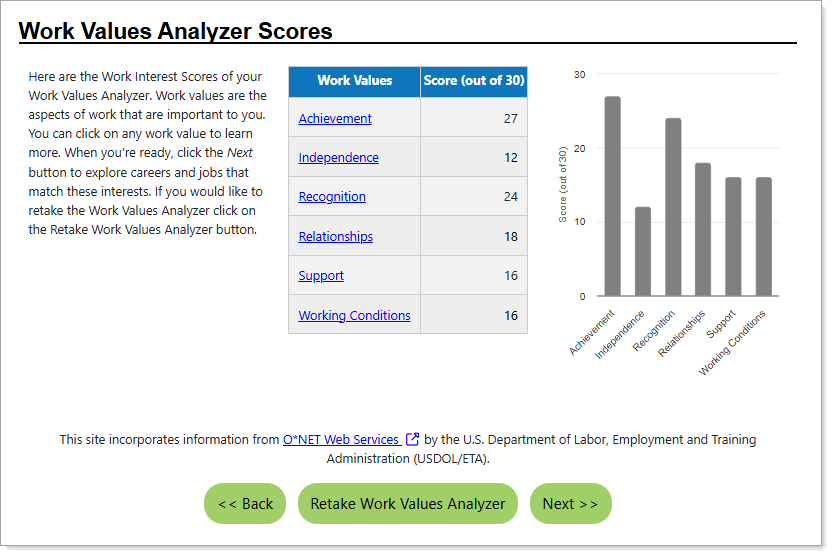
Work Values Analyzer Scores
-
Select any link in the Work Values column to display a pop-up window with more information about that value.
-
To try again, select the Retake Work Values Analyzer button.
-
To view occupations that match your work values, select the Next button.
-
On the Match Level page, indicate the desired occupation match level for your selected assessments: Closely, Moderately, Loosely, or Show all occupations.
-
Select the Continue button to view the Occupations that Match Your Work Values page. See View Occupations That Match Your Assessment Outcome for details.
-
Key Concepts
What's the difference between a Work Interest and a Work Value?
Work interests are the types of tasks, subjects, or activities you enjoy doing at work, while work values are fundamental principles about what is important and meaningful in a job, like autonomy, security, or social responsibility.