
 Left Navigation Menu












Assess Your Skill Levels
Overview
Knowledge Assessor helps you identify careers that match your skills. Answer 40 questions to rate your level in a range of skills and we'll generate a list of careers that might be good matches for your unique skill set.
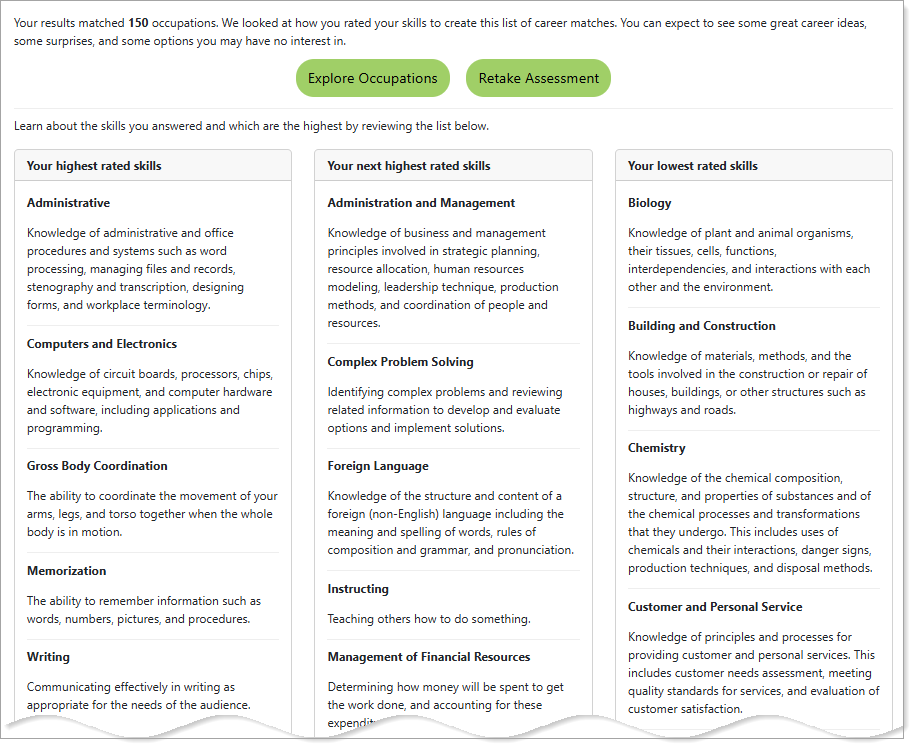
Knowledge Assessor Results
Where to Find This Feature
-
Left Navigation > Career Services > Career Explorer > Knowledge Assessor
-
My Dashboard > Widgets > Career Services widget > Career Explorer > Knowledge Assessor
Steps to Complete the Knowledge Assessor
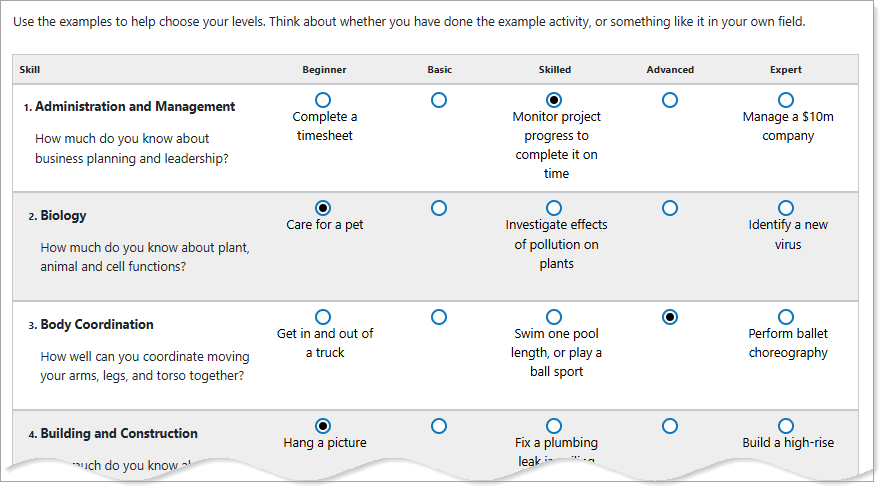
Knowledge Assessor Questions
When answering the assessment questions, avoid responses based upon your personal preference. Think about whether you have done the example activity, or something like it in your own field.
This assessment consists of a list of individual skills for you to provide your expertise level by selecting one of the radio buttons. These button selections are assigned to the following levels: Beginner, Basic, Skilled, Advanced, and Expert. To help you gauge which level you are at, each skill has a set of examples under the Beginner, Skilled and Expert columns. Each page has 10 questions.
-
Select a radio button under the column heading that best matches your proficiency for each skill. If you feel you fall somewhere in between columns that have provided examples, use a selection under Basic or Advanced.
-
To advance to the next page, select the Next button.
-
When you have completed the last series of questions, select the Finish button to review the results. The results tell you how many occupations you matched, and lists your skills grouped by rating.
-
To view your matching occupations, select the Explore Occupations button to go to the Knowledge Assessor Occupation Results page.
-
To redo the assessment, select the Retake Assessment button.
-
From the Knowledge Assessor Occupation Results page, you can view an occupation profile by selecting an Occupation Title link, or view the job openings in your area by selecting one of the Job Openings link for the occupation in the corresponding table row.