
 Left Navigation Menu












Analyze Labor Market Trends
Overview
The Job Market Explorer helps you analyze current labor market trends in a selected geographic area. This tool provides data on average wages, employment projections, and educational requirements for various occupations.
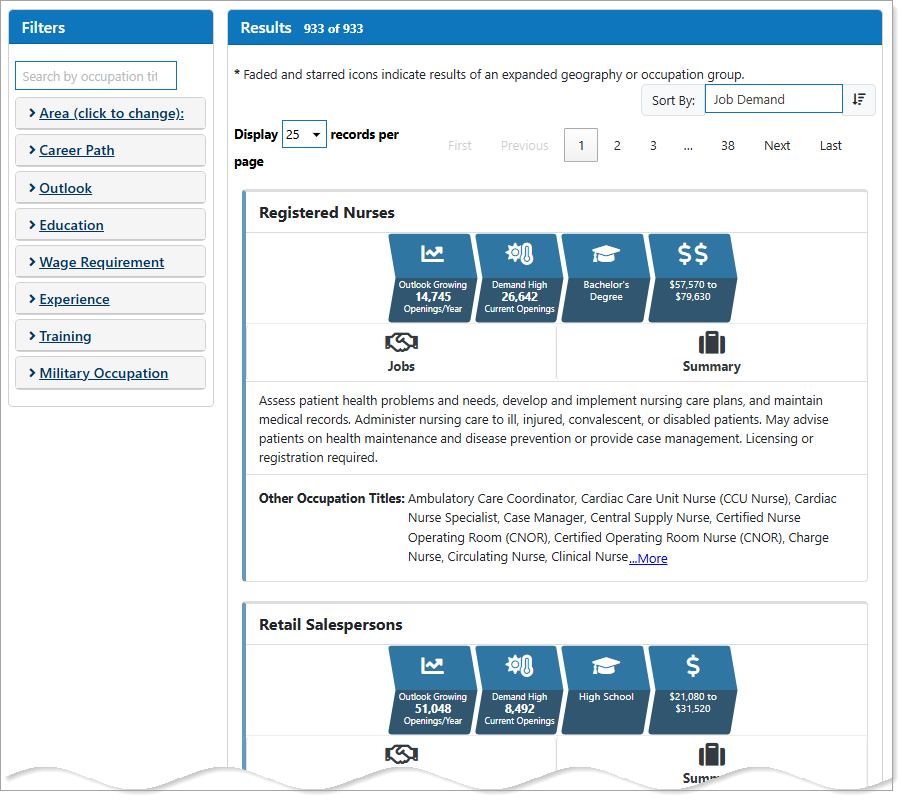
Job Market Explorer
Where to Find This Feature
-
Left navigation menu > Career Services > Job Market Explorer icon
-
My Dashboard > Widgets > Career Services widget > Additional Options link > Job Market Explorer icon
Steps to Using the Job Market Explorer
When you open the tool, results display automatically. You can use filters to narrow or tailor the results to your specific criteria.
-
Select a filter name to expand its options.
-
Choose your desired criteria from the drop-down list.
-
The results update automatically based on your selections.
Job Market Explorer Filters
These filters are optional, but they help refine results or focus on a specific occupation group or geographic area.
|
Filter |
What It Does: |
|---|---|
| Search by Occupation Title | Enter an occupation title to view it and related occupations. |
|
Area |
Change the geographic area to State, County, Workforce Region, or Metropolitan Statistical Area. |
|
Career Path |
Filter by Career Cluster, which is a group of occupations and industries that are connected by similar skills and knowledge. After selecting a Career Cluster, the Career Pathway drop-down activates. You can then filter by a specific career path or leave it unselected to view the broader industry. |
| Outlook |
Filter by occupational outlook based on job growth projections: Growing, Stable, Declining, or All. |
| Education Level |
Filter occupations by minimum education requirement. |
| Wage Requirement | Filter occupations by earnings range, listed by annual earnings with approximate hourly figures. |
| Experience | You can filter occupations based on required experience or find jobs needing little to no prior experience. |
| Training | Find occupations offering apprenticeships, internships, or on-the-job training. |
| Military Occupation | Veterans can filter results by Military Occupational Code (MOC). |
Job Market Explorer Features
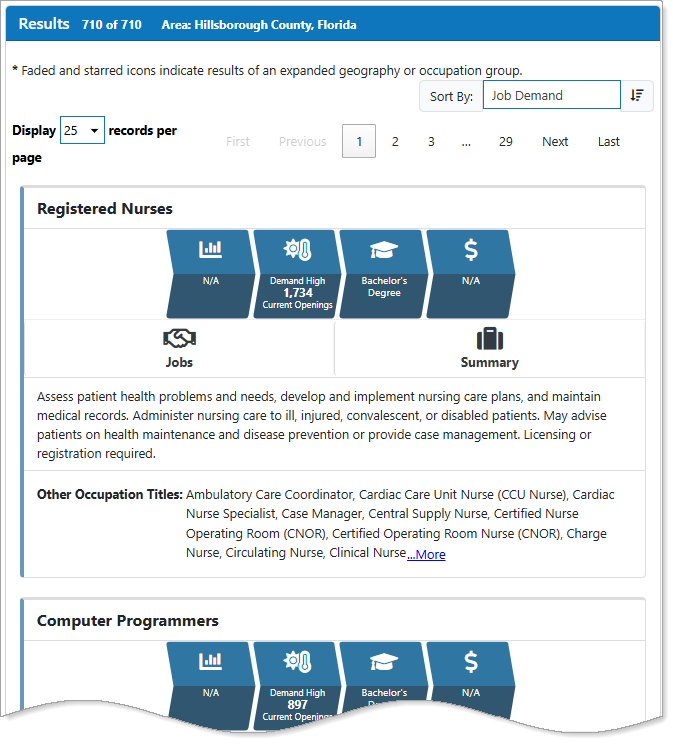
Job Market Explorer Page Features
-
Display records per page drop-down list - Use this selection to change the number of results displayed on the page.
-
Sort By drop-down list - Select from this list to sort results by:: Alphabetical, Future Job Outlook, Job Demand, Typical Education, Entry Level Wage, and Experienced Wage. The adjacent button (up or down arrow) sorts between ascending and descending order.
-
Quick Reference icons provide information at-a-glance details such as projected outlook, current openings, education requirements, and average wages. Hover over an icon to view more information.
-
Jobs button- Select this button to view current job openings for the occupation.
-
Summary button- Select this button to open the Occupation Summary page, which displays detailed labor market information about the occupation