
 Left Navigation Menu












Employer Profile
Overview
The Employer Profile provides detailed information about an employer — whether or not they have active job postings. It includes key details such as summary and detailed information for employers, such as locations, phone numbers, addresses, NAICS codes, and business descriptions.
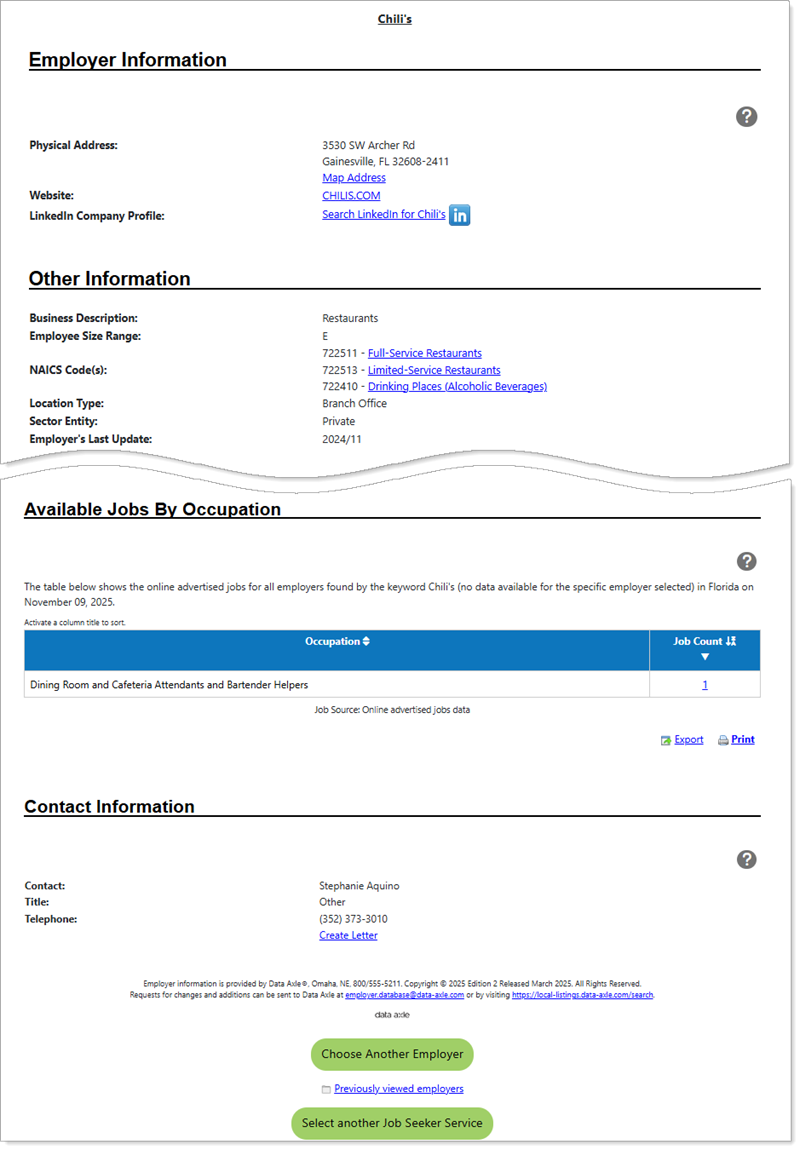
Employer Profile
Where to Find This Feature
-
Left navigation menu > View Employers and Jobs > Local Employer Sites
-
My Dashboard > Widgets > Employer Services widget > Local Employer Sites link
Steps to View the Employer Profile
-
In the Quick Employer Search tab, enter your keyword(s) (e.g., Microsoft or computer).
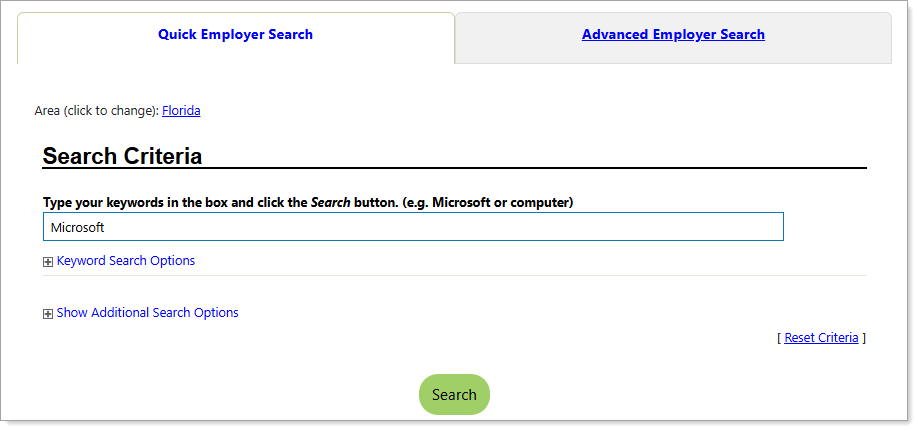
Quick Employer Search tab
-
Optional: The Area link displays the currently-selected area. Select this link if you want to change the area selection. Use the drop-down lists to make a new selection.
-
-
The Advanced Employer Search tab allows you to refine your search by criteria such as Sales Volume, Location Type, Sector Entity, or Web Address.
-
Select the Search button after entering your criteria.
-
Results appear in a table for the selected area.
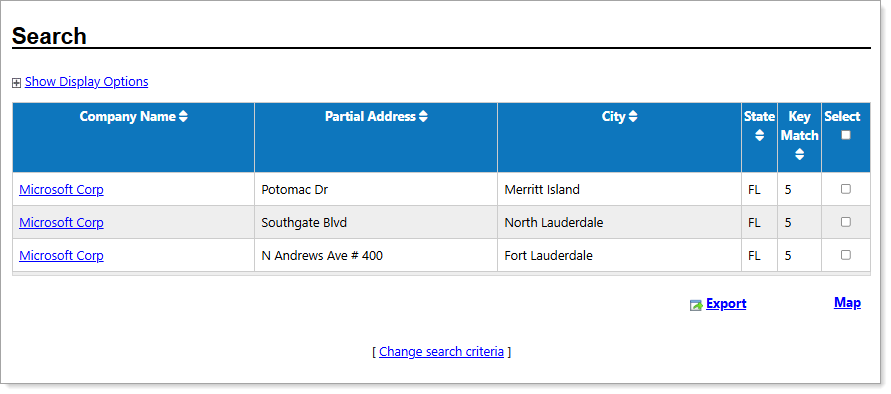
Employer Search Results page
-
Select a link from the Company Name column to open the company's profile
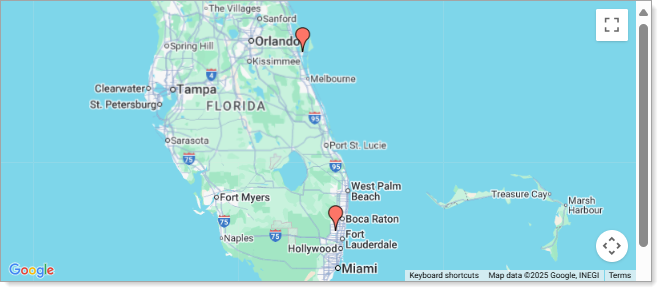
Employer Locations Map
-
Optional: Export results to Excel, Word or PDF by selecting the Export link.
-
Optional: To view employer locations on a map, select the desired employers using the checkboxes and then select the Map link. A popup will display markers for each location.
-
-
After selecting a Company Name link, the Employer Profile page displays.
Employer Profile Page Sections
The Employer Profile page displays summary information for the company by section and includes links to additional details, as follows:
|
Page Section |
Description |
|---|---|
|
Employer Information |
This section displays the employer's physical address. When available, links appear for: Map Address, Website, and LinkedIn Company Profile. |
|
Other Information |
Displays the business description and NAICS Code(s) with links to related industry profiles. |
| Available Jobs By Occupation |
Lists open positions for the employer. If no positions are available, a message displays instead. Select a link in the Job Count column to view advertised jobs by occupation. |
| Contact Information | Displays the contact person associated with the employer in the system. |
Options
Buttons and links below the Employer Profile provide the following actions:
-
Choose Another Employer button: Returns you to the Search Results page. From there, select another Company Name link from the results, or select the Change search criteria link to start a new search from the Search Criteria page.
-
Previously viewed employers link: Select to open the Employers tab under your Search History Profile folder, showing previously-viewed Employers.
-
Select Another Job Seeker Service button: Opens the Job Seeker Services directory, where you can access features such as Find Job Openings, Résumé Builder, and Virtual Recruiter.