
 Left Navigation Menu












Labor Market Facts
Overview
The Labor Market Facts page lists commonly-asked questions about the local labor market. These questions are grouped by category and are displayed in expandable panels. You can select a question you want to see information on, and then define the area selection for that information, e.g., statewide vs. countywide.
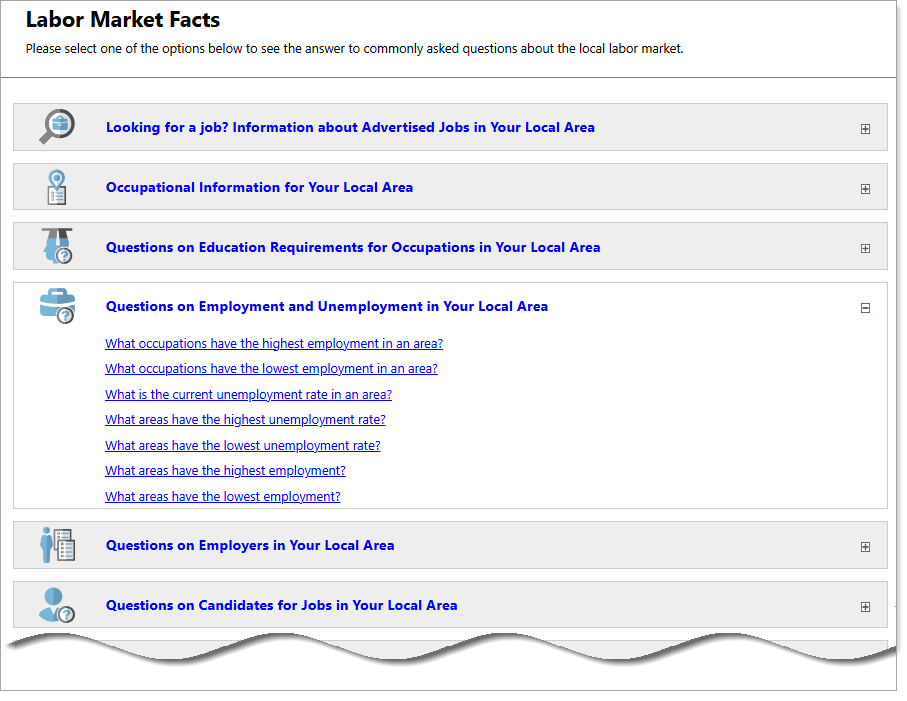
Labor Market Facts Page with Commonly Asked Questions
Where to Find This Feature
-
Left navigation menu > Services for Individuals > Labor Market Services > Labor Market Facts
-
MyDashboard > Widgets > Labor Market Services widget > Labor Market Facts
-
Footer > Services > Labor Market > Labor Market Facts
If you are logged into the system, this option asks you if you want to log out first before taking you to the Labor Market Services page.
Steps to Viewing Labor Market Facts
-
Select the plus sign icon to expand a category and reveal the category questions.
-
Select a question you want to view information about.
Although steps 3-6 use a specific example, these steps describe what happens when selecting any of the category questions.
-
For example, toggle the Questions on Employment and Unemployment in Your Local Area category, and then select the What is the current unemployment rate in an area question. The Select an Area page displays.
-
Make a selection from the Area Type drop-down list: County, Metropolitan Statistical Area, State, or Workforce Region.
-
An Area drop-down list displays according to your selected Area Type. Choose your Area and select the Continue button to view unemployment information for the selected area.
-
To return to the Labor Market Facts page where you began, select the Select another Labor Market Fact button at the bottom of the page.