
 Left Navigation Menu












Work with Staff while Enrolled in Benefit Programs
Overview
The Staff-Provided Services page provides a summary of services offered by your local one-stop office staff to individuals. Services offered include filing program applications and forms, providing assessments, creating Individual Employment Plans (IEP) and Objective Assessment Summary (OAS) plans, service enrollments, tracking credentials obtained and requirements met, registering you for training and events, and referring you to job openings and performing job referral follow-ups.
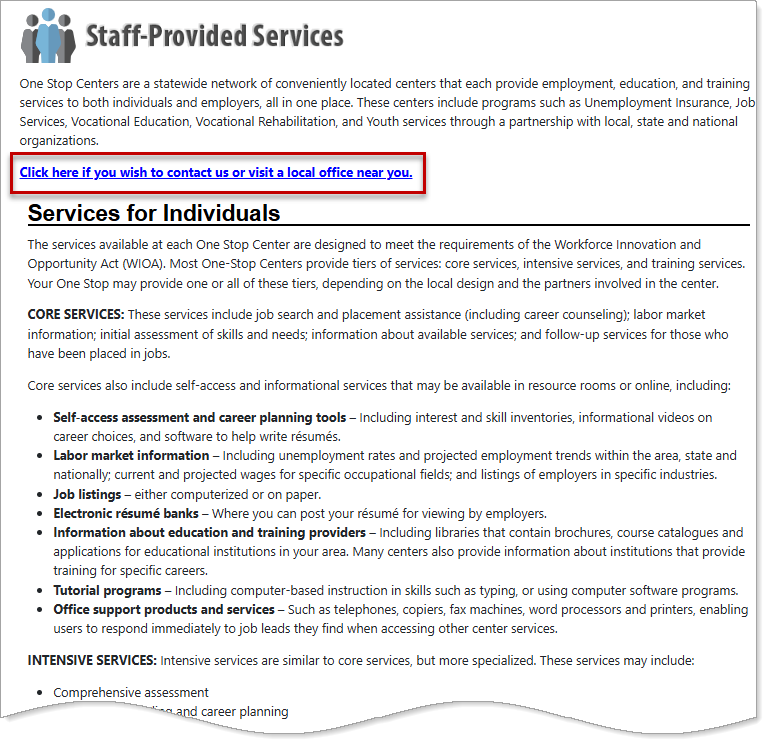
Staff-Provided Services Page
The link shown on this page is the same as the Contact Us Directly link on the Assistance Center page.
Where to Find This Feature
-
Directory of Services tab > Services for Individuals > Staff Provided Services icon
-
Left navigation menu > Services for Individuals > Staff Provided Services
-
Footer bar > Services > For Individuals link > Staff Provided Services icon
Steps to Contact One-Stop Job Center Staff
Your site may display different options from those shown here.
-
Select the Click here if you wish to contact or visit a local office near you link. The Contact Us page displays and includes five tabs that provide contact information for your nearest one-stop center offices.
-
Select one of the tabs provided for information:
-
Help Desk – Displays your site's helpline support phone number (if it has one), along with other information such as the address, phone number, hours of operation, and email address of your nearest one-stop office based on your ZIP Code.
-
Location Nearest You – Displays information such as the address, phone number, hours of operation, and email address of your nearest one-stop office according to your selected Location Type and based on your ZIP Code. Select the More Office Details link to view more information about the one-stop office.
-
Location Search – Features an office search function to find specific offices. In the search results, view office details and see the location on Google Maps.
-
Map of Locations – Displays all offices in the region or state.
-
All Locations – Lists all workforce offices in your region or state in alphabetical order in your choice of a Summary or Detailed view. In the Detailed view, select an email link on the page to email the office, the Map Address link to view the office location on a map, or the More Office details link for additional information, including office hours, website URL, and directions.
-