













How We Can Help You
Overview
How We Can Help You provides information, suggestions, and resources across a broad spectrum of system functions to assist you with jobs, financial planning, unemployment, education and training, and more. It consists of a collection of tabs and sub links to allow you to quickly access helpful, frequently used features.
Your site may display different options from those shown here.
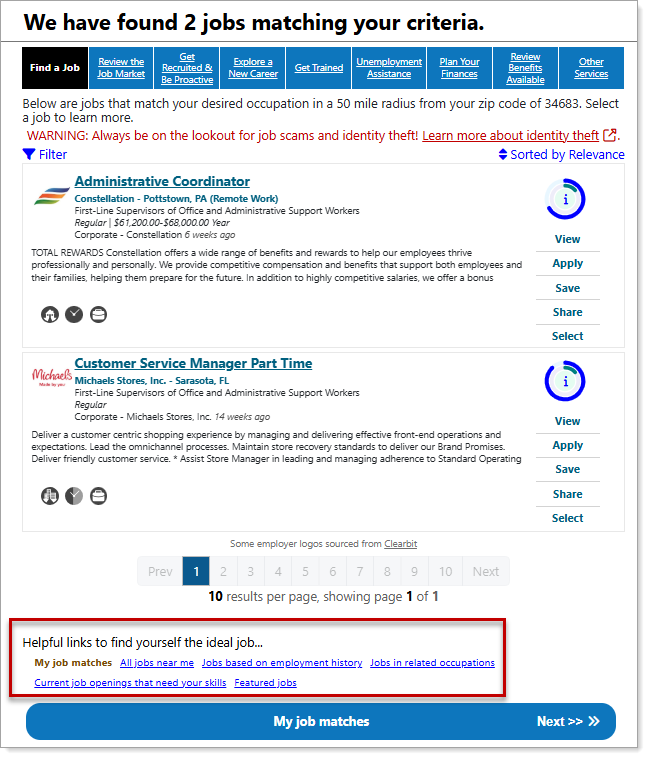
How We Can Help You – Find a Job Tab
Where to Find This Feature
-
My Dashboard > How We Can Help You tab
-
Left navigation menu > My Individual Workspace > How We Can Help You
About How We Can Help You
The How We Can Help You page offers a tabbed list of resources to support every stage of your career journey. It opens with the Find a Job tab, which is pre-populated with search results tailored to your desired occupation.
How We Can Help You tabs include:
 Find a Job
This tab lets you view jobs within your local area that match your desired occupation.
-
View and apply to matching jobs. See Find a Job for details.
-
Use the links below the listed jobs or select Next to search My job matches, All jobs near me, Jobs based on employment history, Jobs in related occupations, Current job openings that need your skills, and Featured jobs.
Review the Job Market
This tab lets you view information about the current job market for your desired occupation.
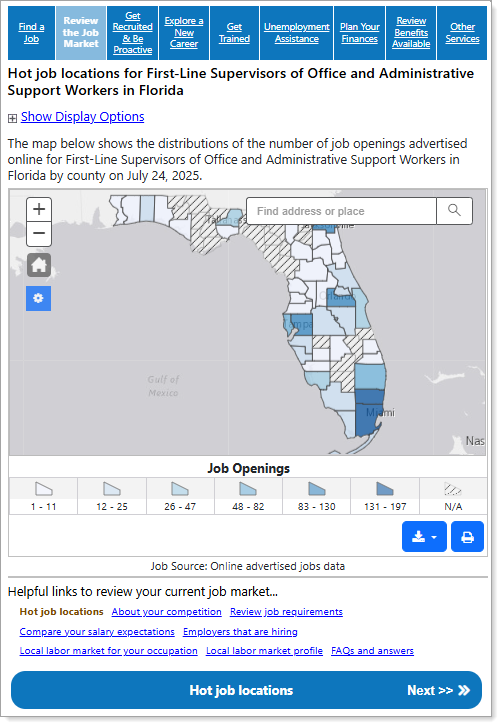
How We Can Help You – Review the Job Market Tab
-
Use the map controls to modify the display.
-
Use the links below the map or select Next to view Hot job locations, About your competition, Review job requirements, Compare your salary expectations, Employers that are hiring, Local labor market for your occupation, Local labor market profile, and FAQs and answers.
See Review Job Market Trends in Your Area for additional information.
Get Recruited & Be Proactive
This tab provides information and resources to market yourself to potential employers.
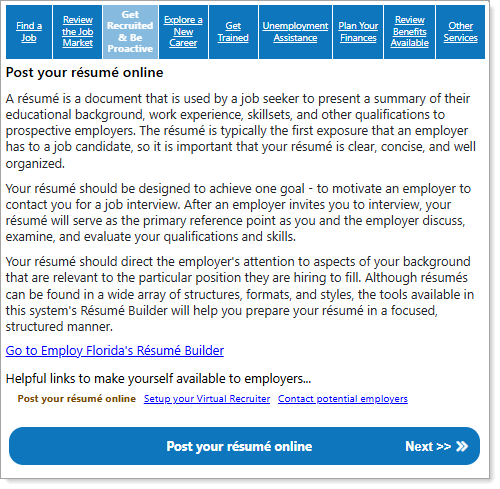
How We Can Help You – Get Recruited & Be Proactive Tab
-
Use the links or select Next to Post your résumé online, Setup your Virtual Recruiter, and Contact potential employers.
See Manage Your Résumés and Save Search Criteria as an Automated Job Alert (Virtual Recruiter) for additional information.
Explore a New Career
This tab provides information and suggestions for alternative occupations based on your skills, interests, and employment goals.
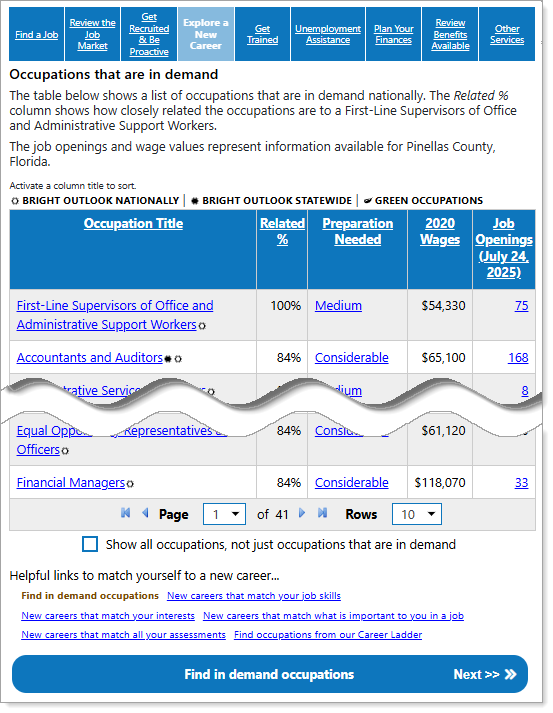
How We Can Help You – Explore a New Career Tab
-
Use the links in the table to view a detailed occupation profile, required training and education, and current job openings.
-
Select the Show all occupations, not just occupations that are in demand box to display all occupations.
-
Use the links or select Next to Find in demand occupations, New careers that match your job skills, New careers that match your interests, New careers that match what is important to you in a job, New careers that match all your assessments, and Find occupations from our Career Ladder.
See Explore Careers and Occupations for details.
Get Trained
This tab provides information on training providers for your desired occupation in your area.
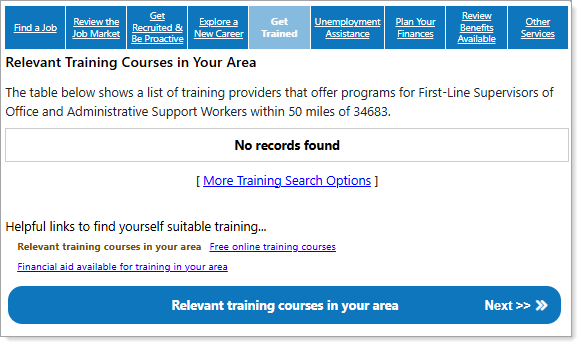
How We Can Help You – Get Trained Tab
-
Select the More Training Search Options link to display the Select an Education Program page where you can search for a program.
-
Use the links or select Next to view Relevant training courses in your area, Free online training courses, and Financial aid available for training in your area.
See Plan Your Education and Training for additional information.
Unemployment Assistance
This tab provides information on unemployment benefits, claim filing, and qualifying for benefits.
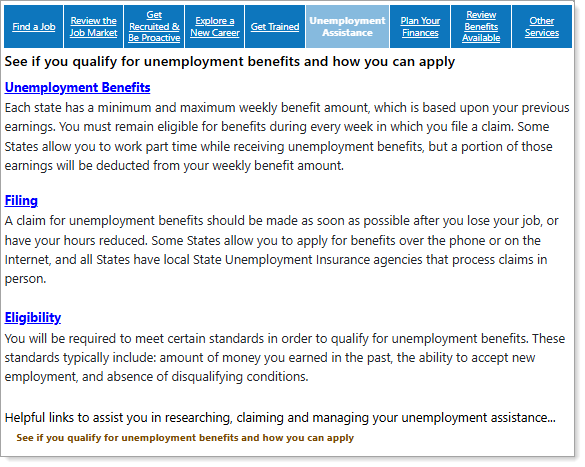
How We Can Help You – Unemployment Assistance Tab
-
Select the Unemployment Benefits link to display information on unemployment benefits for your state.
-
Select the Filing link to display information about unemployment claim filing for your state.
-
Select the Eligibility link to display information about unemployment eligibility requirements for your state.
See About Unemployment Benefits for additional information.
Plan Your Finances
This tab provides budget planning and financial aid information.
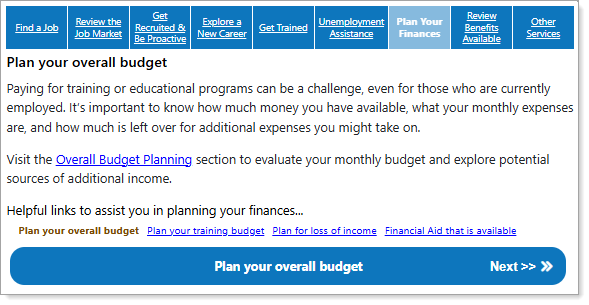
How We Can Help You – Plan Your Finances Tab
-
Select the Overall Budget Planning link to display an Overall Budget Analysis page where you can develop a monthly budget and explore jobs paying enough to meet your expenses.
-
Use the links or select Next to Plan your overall budget, Plan your training budget, Plan for loss of income, and view Financial Aid that is available.
See Try Out Budget Planning Tools for additional information.
Review Benefits Available
This tab provides information about community and social service benefit programs available for eligible individuals.
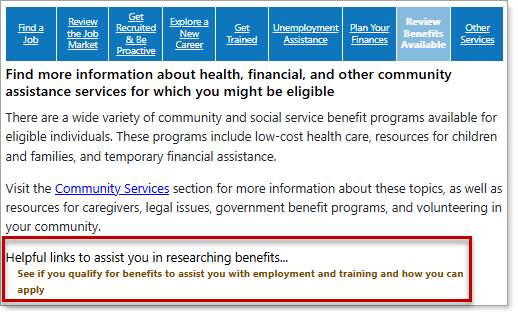
How We Can Help You – Review Benefits Available Tab
-
Select the Community Services link to display a Community Services and Benefits menu page where you can select Eligibility Requirements and Programs and Services options to see what programs and benefits you may be eligible for.
-
To launch the Common Application Wizard, select the See if you qualify for benefits to assist you with employment and training and how you can apply link.
See Find Community Support Services for additional information.
Other Services
This tab provides service information for veterans, seniors, disabled individuals, and youth.
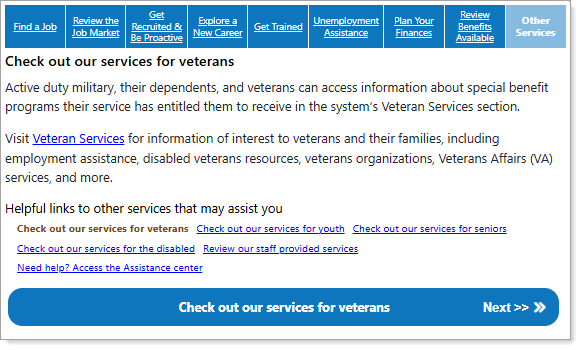
How We Can Help You – Other Services Tab
-
Select the Veteran Services link to display the Veteran Services page, where you can find information about available Veteran Programs.
-
Use the links or select Next to Check out our services for veterans, Check out our services for youth, Check out our services for seniors, Check out our services for the disabled, Review our staff provided services, and Need help? Access the Assistance center.
See Staff-Assisted Services and Benefits Programs and Explore Federal Benefits Programs You May Qualify For for additional information.