
 Left Navigation Menu












Customize the Left Navigation Menu
Overview
You can customize the left navigation menu to suit your preferences, making it easy for you to find frequently used options. For sections of the menu you don't use, you can hide them completely.
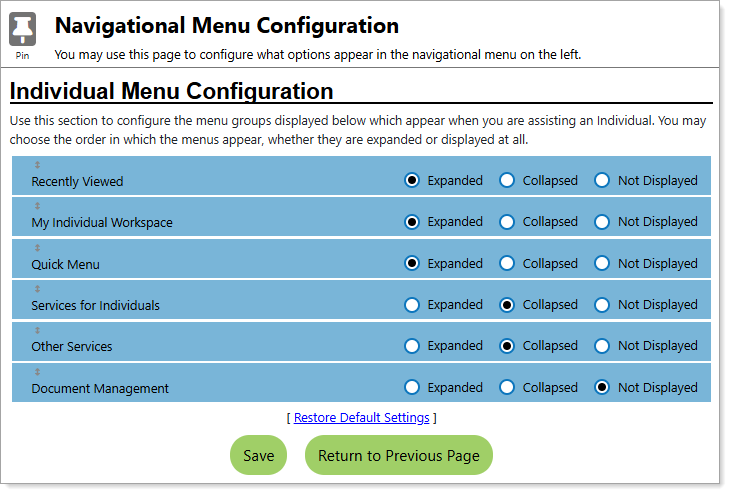
Navigational Menu Configuration Page
Where to Find This Feature
-
Top menu bar > Accessibility icon > Page Preferences button > Configure Navigation Menu link
-
Left navigation menu > Other Services > Assistance Center > My Preferences > Configure Navigation Menu link
-
Footer bar > Settings > Page Preferences > Configure Navigation Menu link
Steps to Customize Your Menu
-
Select the option buttons for each menu group to set the display to Expanded (default), Collapsed, or Not Displayed.
-
To change the display order of the menu groups, click and drag the name of the menu group section up or down in the list.
-
To reset the display options and sort order, select the Restore Default Settings link.
-
Select the Save button to save your settings.
Best Practices
Arrange your left navigation menu to display your most frequently used groups expanded and at the top.