













Metrix Learning
Overview
Metrix Learning is an online training platform that helps you build practical skills, explore new career pathways, and earn credentials that support your job search. With more than 10,000 courses—including many in Spanish—you can learn at your own pace, strengthen skills in areas like workplace communication, leadership, project management, Microsoft Office, and Six Sigma, and earn certificates of completion along the way. Your state workforce development agency partners with Metrix Learning to offer these courses, and you can track your progress and earned credentials on the Online Training tab of your profile.
You can also pursue industry-recognized certifications, including options from AWS, Cisco, CompTIA, Microsoft, and others. Metrix lets you create personalized learning plans, track your training hours, and identify skill gaps so you can move toward your employment goals more confidently. The platform is mobile-friendly and available anytime, making it easier to fit learning into your schedule.
Your site may not include this optional feature.
Where to Find This Feature
-
My Dashboard > Widgets > Education Services widget > Online Learning > Metrix Learning link
-
Left navigation menu > Services for Individuals > Education Services > Online Learning Resources > Metrix Learning link
-
Directory of Services tab > Services for Individuals > Education Services icon > Online Learning Resources icon > Metrix Learning link
-
Header bar > Profile icon > My Individual Plans folder > Training Plan Profile folder > Online Training tab > Go to Online Learning Resources link > Metrix Learning link
Steps to Manage Your Metrix Learning Programs
Your site may display different options from those shown here.
 Sign up for a Metrix Account
-
To register, select the Register here link to open the Metrix website in a new browser window. If it does not appear, you may need to configure your browser to allow pop-ups first.
-
To view your Metrix courses or browse for new ones, select the METRIX Learning link.
The Metrix My Plan page displays.
View and Enroll in Metrix Courses
-
From the Metrix My Plan page, in the Available Courses section, select tab or course title links to explore available courses. When you select a course link, the Metrix site opens in a new browser tab, you are logged in automatically, and the course description page displays.
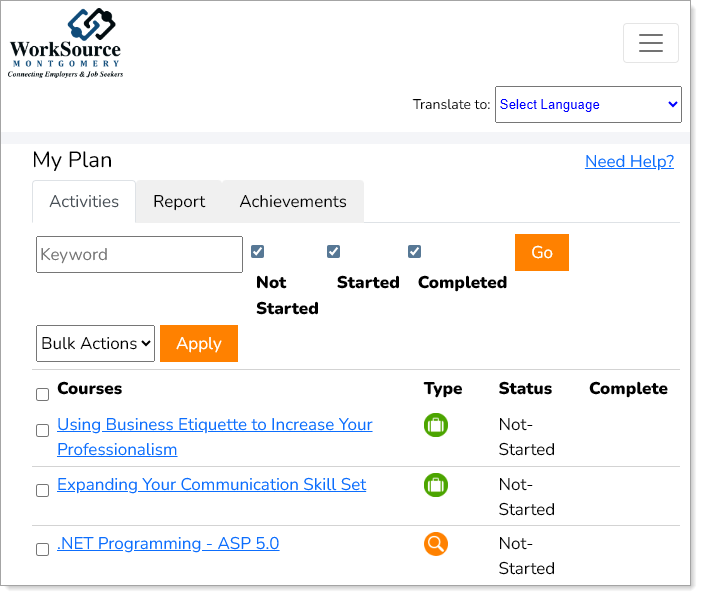
Metrix Course Description page
-
To start a course, select the [course title] or Launch link. You can complete the course at your own pace in multiple sessions. Your progress, and any credential earned, is tracked on the Metrix My Plan page.
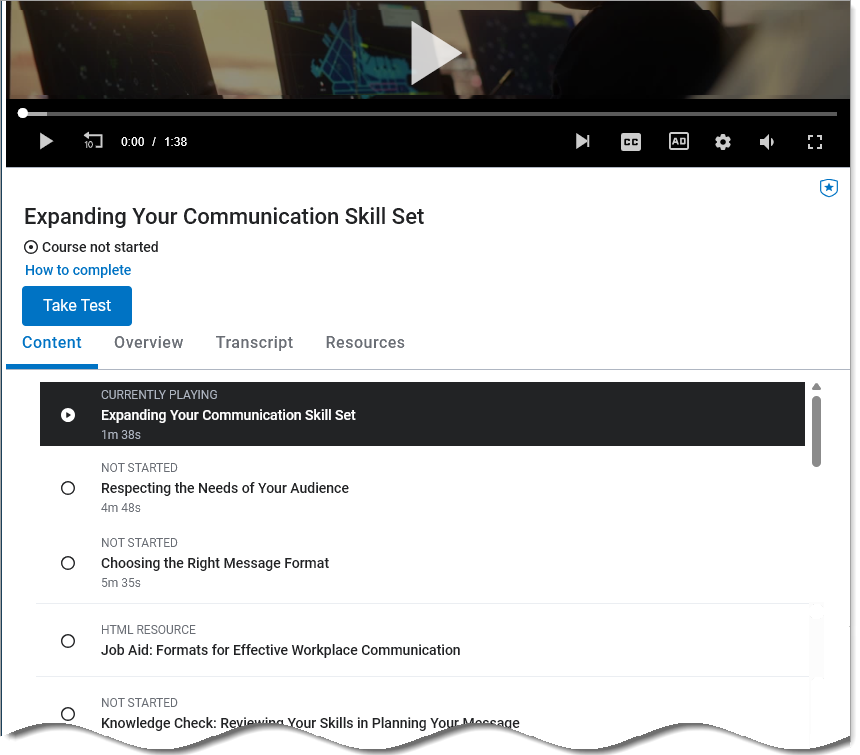
Metrix Start Course page
-
To continue a course, on the Metrix site, select its [course title] or Launch link again.
Display Metrix Courses you Have Enrolled in or Completed
-
To display Metrix learning programs you have enrolled in or have completed, from your Profile page expand My Individual Plans and Training Plan Profile, select the Online Training link, and choose the Online Training tab.
-
To review information about a particular course, select a [course title] or the View link in the Action column to display more information from the Metrix website.
Calculate Your Total Study Time by Date
- To calculate your study time by date, in the User Statistics section enter a Begin Date and an End Date, and select the Calculate button. A new row displays the hours spent for that time frame. To reset the date range, select the Clear button.