













Alison Courses
Overview
Alison is a free online learning platform designed to help you build the essential workplace skills employers look for—offering high-quality courses, certifications, and career guidance you won’t find on social media. With 24/7 access on any device, you can learn through videos, quizzes, and short lessons, explore personalized course recommendations, and complete skill-gap assessments to guide your career path. Your state workforce development agency partners with Alison to offer these courses, and you can track your progress and earned credentials on the Online Training tab of your profile.
When you finish a course with a score of 80% or higher, you earn shareable certificates and digital badges to showcase your achievements. With options ranging from quick 2–3-hour certificate courses to 8–10-hour diploma programs in fields like IT, business, health, and education, Alison supports learners at every stage.
Your site may not include this optional feature.
Where to Find This Feature
-
My Dashboard > Widgets > Education Services widget > Online Learning link > Alison link
-
Left navigation menu > Services for Individuals > Education Services > Online Learning Resources > Alison link
-
Directory of Services tab > Services for Individuals > Education Services icon > Online Learning Resources icon > Alison link
-
Header bar > Profile icon > My Individual Plans folder > Training Plan Profile folder > Online Training tab > Go to Online Learning Resources link > Alison link
Steps to Manage Your Alison Training
Your site may display different options from those shown here.
 Sign up for an Alison Account
-
From the Alison Online Courses page, select the Sign Up online link at the bottom of the page.
-
-
Enter your First Name, Last Name, City, Country, and Email (all are required fields).
-
Select the Sign up button.
Your email address will be your username. An email is sent to your address with a temporary password that you must use the first time you log in to access Alison's online learning courses.
-
In the Registration Successful section, select the Log in link.
-
The Alison Course Progress page displays. Curated courses are categorized on tabs in the Available Courses section.
View and Enroll in Alison Courses
-
From the Alison Course Progress page, in the Available Courses section, select tab or course title links to explore available courses. When you select a course link, the Alison site opens in a new browser tab, you are logged in automatically, and the course description page displays.
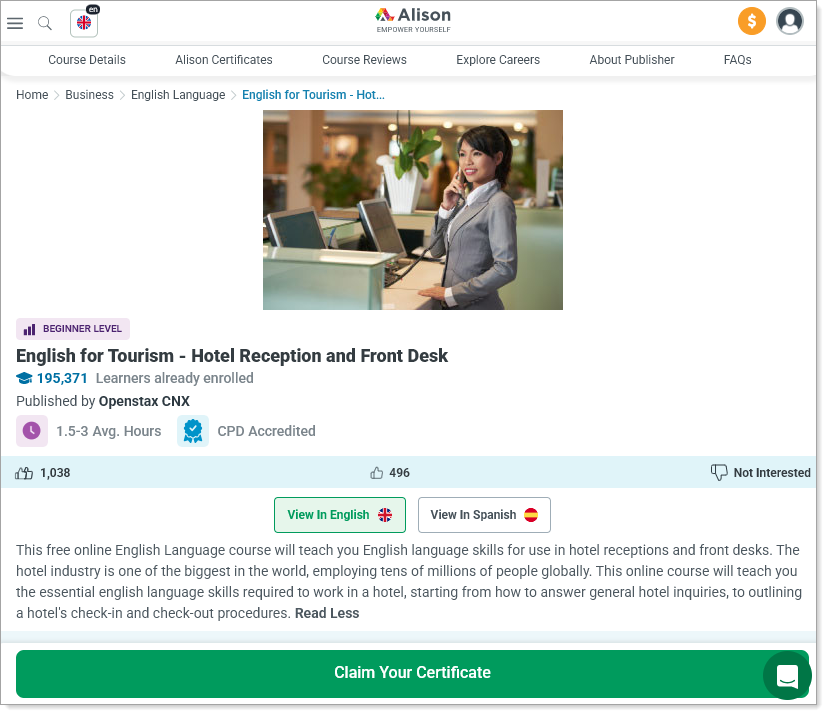
Alison Course Description page
-
To start a course, select the Start Learning button. You can complete the course at your own pace in multiple sessions. Your progress, and any credential earned, is tracked on the Alison Course Progress page.
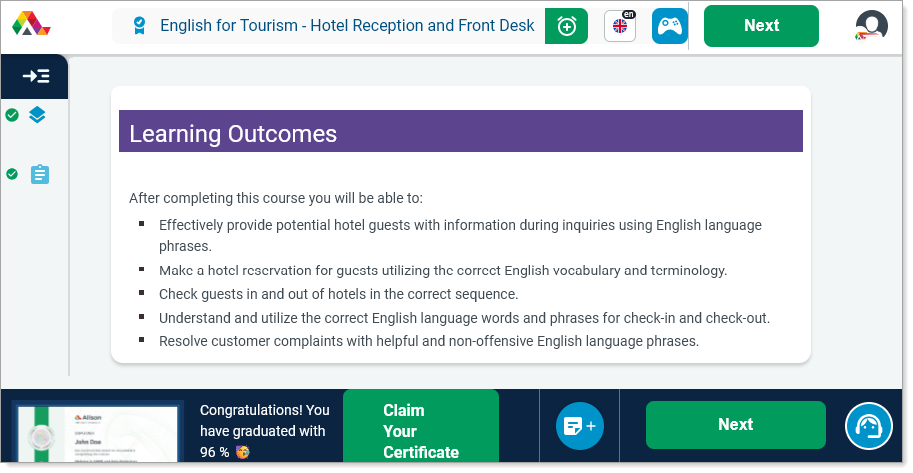
Alison Start Course page
-
To continue a course, on the Alison site, select its Continue Learning button.
Display Alison Courses you Have Enrolled in or Completed
-
On the Online Training tab of your Training Plan Profile, in the Enrolled Courses section, you can see your progress complete percentages, start and completion dates, and any quiz scores.
-
To view a course on the Alison site, select its [course title link] or View link in the Action column.
Calculate Your Total Study Time by Date
-
On the Online Training tab of your Training Plan Profile, in the User Statistics section, enter a Begin Date and End Date for the period of time you want to calculate, and select the Calculate button. The page refreshes and displays the hours spent for that time frame. Select the Clear button to reset the date range.