
 Left Navigation Menu












Use Your Résumé to Find and Apply for Jobs
Overview
Using your online résumé to search for and apply to jobs has several advantages that can make your job hunt more efficient and effective. The system scans your résumé for skills, titles, and experience to recommend relevant jobs so you get tailored suggestions instead of sifting through thousands of irrelevant postings. Your résumé can then be used to apply to those jobs.
Your résumé can be used to find jobs in two places:
-
The Résumé tab of your Employment Plan Profile
-
The Suggested Jobs Based on Your Résumé section at the bottom of any résumé's System Résumé tab
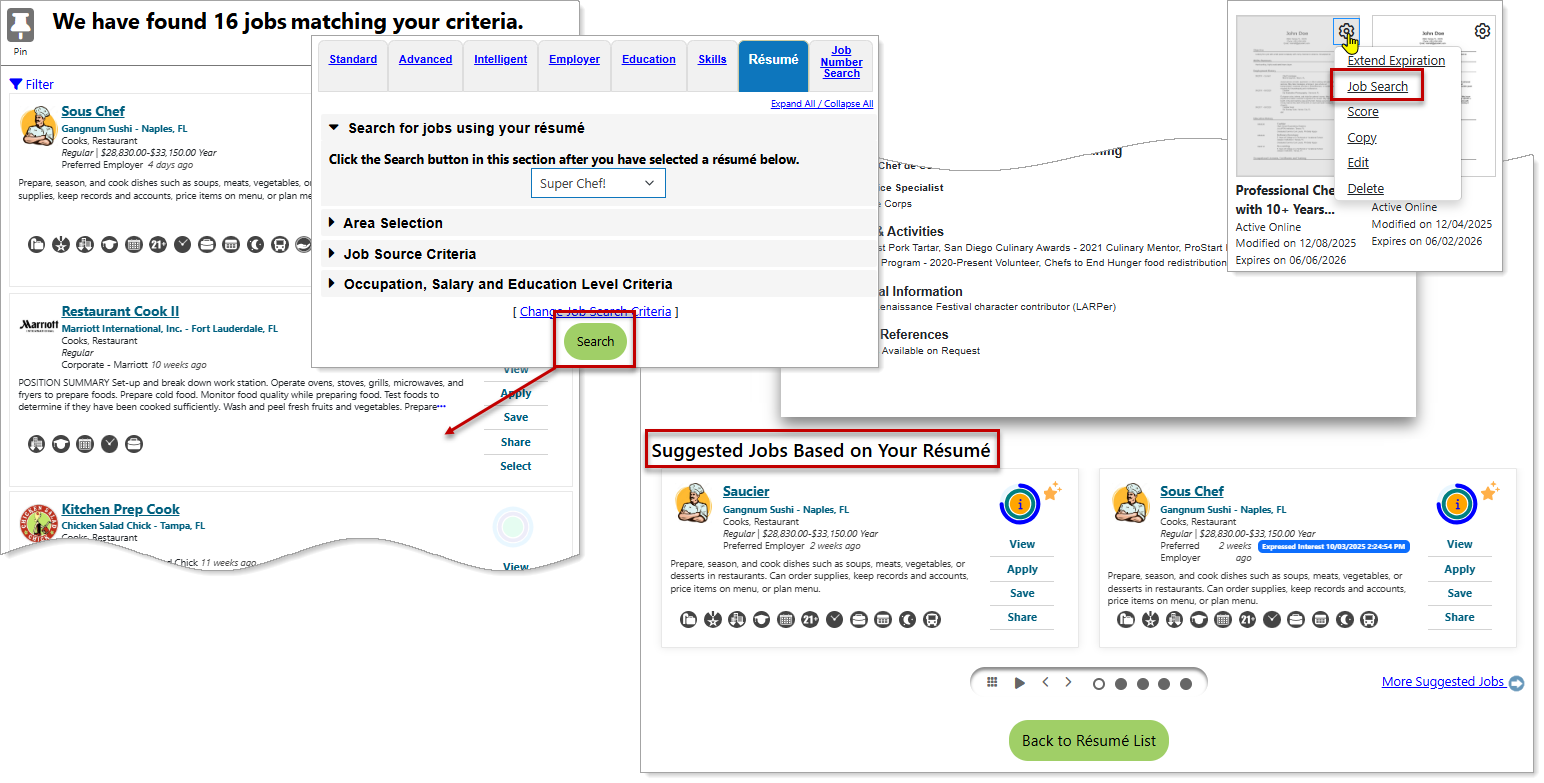
Job Search— Searching for Jobs Using Your Résumé
Where to Find These Features
-
Left navigation menu > Quick Menu > Job Search > Résumé tab
-
My Dashboard > Widgets > Job Seeker Services widget > Job Search link > Résumé tab
-
Directory of Services tab > Quick Menu > Job Search icon > Résumé tab
-
Directory of Services tab > Services for Individuals > Job Seeker Services icon > Find Job Openings icon > Résumé tab
-
Top menu bar > Résumé icon > select a résumé thumbnail > Suggested Jobs Based on Your Résumé
-
Top menu bar > Résumé icon > Résumé Manager button > Résumé gear icon > Job Search link
Steps to Perform a Résumé Job Search
Your site may display different options from those shown here.
-
From the Résumé tab, select your résumé from the drop-down list.
-
Select the Search button to display jobs matching your résumé profile. See Use a Résumé as Criteria to Find Jobs for additional information.
Steps to Apply for a Job with Your Résumé
-
Identify the job you wish to apply for from your search results.
-
Select the Apply button. See Apply with an Online Résumé and Cover Letter for details.