
 Left Navigation Menu












Education History
Overview
The Education History page allows users to document their academic and training backgrounds as part of the profile-building process. This page guides you through the entry of essential education-related information, ensuring accuracy and completeness through required fields and intuitive prompts. You can efficiently enter education programs, relevant dates, and additional comments—all of which contribute to a polished and informative résumé.
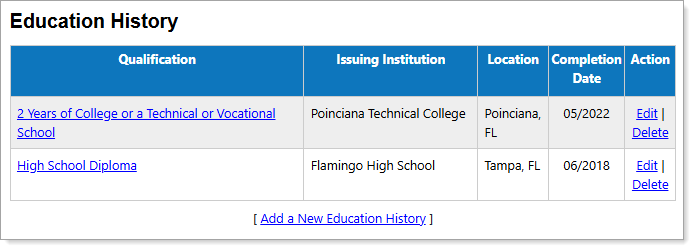
Personal Profile – Background Tab – Education History Section
Where to Find This Feature
-
Profile icon on the header bar > Background Tab > Education History
-
Left navigation menu > Quick Menu > My Portfolio > My Individual Profiles > Personal Profile > Background Tab > Education History
-
[username] link in the Welcome statement on the dashboard > Background Tab > Education History
Steps to Manage Education History
-
To view program details, select the link in the Qualification column.
-
To remove a record, select the Delete link in the Action column.
-
To add or modify a record, select the Add a New Education History or Edit link to display the Education History Details page. See Add or Edit Education History for information on successfully adding and managing education history records using this page.
-
Include all of your education programs, even those you did not finish or have yet to complete.