
 Left Navigation Menu












Do a Quick Job Search
Overview
The Quick Job Search feature lets you perform basic job searches by keyword and area. It is available in the header bar at the top of every page and on the site splash page before you sign in.
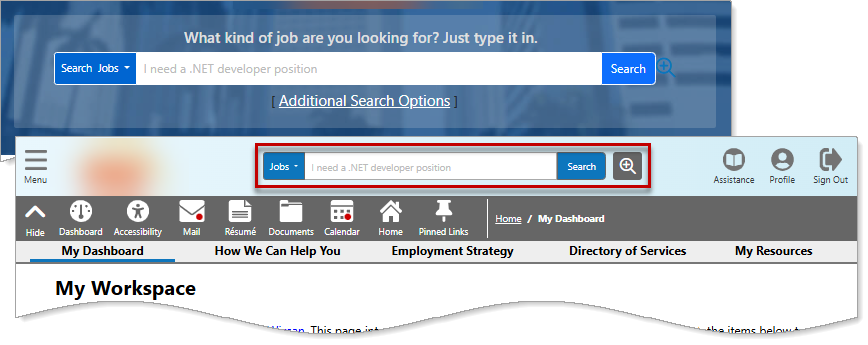
Quick Search Options — Site Splash Page and Top Menu Bar
Where to Find This Feature
-
Site splash page > Search field
-
Header bar > Search field
Steps to Perform a Quick Job Search
Your site may display different options from those shown here.
To perform a quick job search from the header bar or site splash page:
-
The drop-down category defaults to Jobs, which is the correct option for this type of search, so you can leave it as is. If needed, the drop-down also includes other search categories such as Employers, Industries, and Area.
-
Enter your keyword and desired location in the search field.
-
Select the Search button to display the results. See Job Search Results Page Overview for details.
-
A pop-up may appear asking you to further narrow down your keyword and location to improve your search results.
-