
 Left Navigation Menu












Specify Security Clearance
Overview
Recruiters frequently filter candidate pools by clearance level. Including yours ensures you appear in these searches and are quickly identified as qualified for clearance-restricted roles. If you omit your clearance, recruiters may assume you don’t have one and exclude you from consideration—even if you’re fully qualified. Listing it up front ensures you are not overlooked.
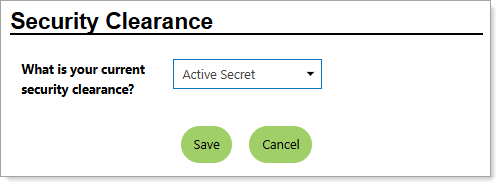
Personal Profile – Background Tab – Additional Employer Searchable Items – Selecting Your Security Clearance
Where to Find This Feature
-
Header bar > Profile icon > Background tab > Additional Employer Searchable Items > Security Clearance section > Edit Security Clearance link
-
Left navigation menu > Quick Menu > My Portfolio > My Individual Profiles > Personal Profile > Background tab > Additional Employer Searchable Items > Security Clearance section > Edit Security Clearance link
-
The [your name] link in the Welcome statement on the dashboard > Background tab > Additional Employer Searchable Items > Security Clearance section > Edit Security Clearance link
Steps to Specify Your Security Clearance
Your site may display different options from those shown here.
-
Answer What is your current security clearance? by selecting your clearance level from the drop-down list.
-
Select the Save button to return to the Background tab or the Next button in the background wizard to save and proceed to the next page.