
 Left Navigation Menu












Indicate Typing Speed
Overview
Recruiters frequently filter candidates based on typing speed for efficiency-focused roles. Including it helps ensure you are matched with the right opportunities and not overlooked. If two candidates have similar qualifications, strong typing skills can set you apart. Employers appreciate knowing you can adapt to digital workflows with minimal training.
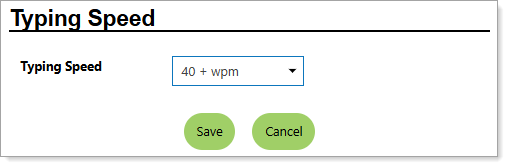
Personal Profile – Background Tab – Additional Employer Searchable Items – Indicating Your Typing Speed
Where to Find This Feature
-
Header bar > Profile icon > Background tab > Additional Employer Searchable Items > Typing Speed section > Edit Typing Speed link
-
Left navigation menu > Quick Menu > My Portfolio > My Individual Profiles > Personal Profile > Background tab > Additional Employer Searchable Items > Typing Speed section > Edit Typing Speed link
-
The [your name] link in the Welcome statement on the dashboard > Background tab > Additional Employer Searchable Items > Typing Speed section > Edit Typing Speed link
Steps to Indicate Your Typing Speed
Your site may display different options from those shown here.
-
Select your Typing Speed from the drop-down list.
-
Select the Save button to return to the Background tab or the Next button in the background wizard to save and proceed to the next page.