
 Left Navigation Menu












Add or Edit Your Website Links
Overview
Including your personal websites and social media sites in your job-hunting profile can strengthen your professional presence and make it easier for recruiters to evaluate you. While many applicants submit only résumés, offering links to polished, relevant websites and social media profiles shows you are proactive and engaged in your field. This can set you apart in a competitive hiring process.
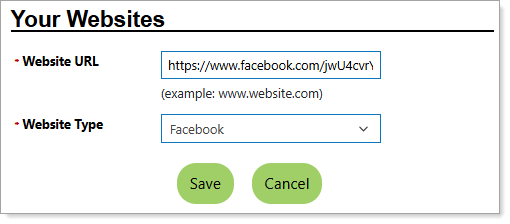
Personal Profile – Background Tab – Adding a Website
Where to Find This Feature
-
Header bar > Profile icon > Background tab > Additional Employer Searchable Items > Your Websites section > Add New Website link
-
Left navigation menu > Quick Menu > My Portfolio > My Individual Profiles > Personal Profile > Background tab > Additional Employer Searchable Items > Your Websites section > Add New Website link
-
The [your name] link in the Welcome statement on the dashboard > Background tab > Additional Employer Searchable Items > Your Websites section > Add New Website link
Steps to Add or Edit Your Websites
-
Enter the Website URL in the field provided. Add full URLs that go directly to your profile or portfolio (not a generic home page).
-
Select the Website Type from the drop-down list.
-
If Other, specify the Custom Type, for example, "professional portfolio" or "personal website."
-
-
Select the Save button to return to the Background tab or the Finish button in the background wizard to save and display the Background tab.
Best Practices
-
For developers: link to repositories or coding projects.
-
For creative occupations: link to design portfolios, photography, or writing samples.